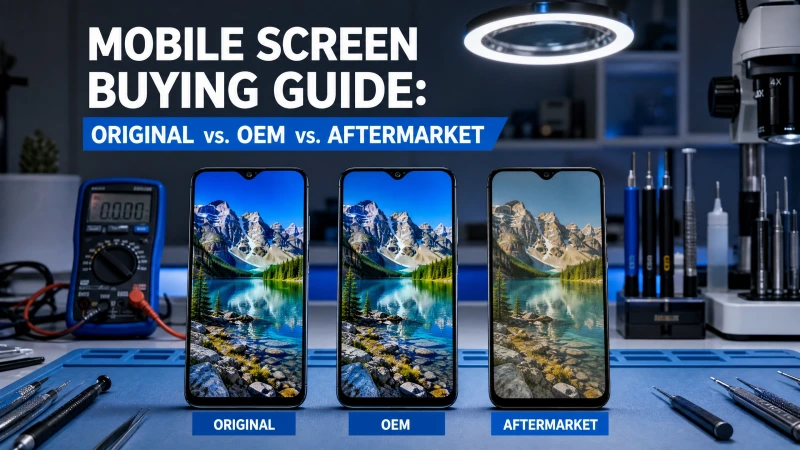
Understanding Screen Types
When a smartphone screen cracks, the choice of replacement can significantly impact the device's functionality and longevity. The market offers a spectrum of screen qualities, each with distinct advantages and disadvantages.
1. Original Screens
Original screens are identical to the displays initially installed in a new device. They are manufactured by the brand's original supplier (e.g., Samsung for Samsung phones, LG for Apple's OLED panels) and meet the highest quality standards set by the device manufacturer. These screens offer flawless performance, perfect fit, and consistent color accuracy.
Key Characteristics:
• Superior Material Quality: Utilizes durable, impact-resistant glass and premium internal components.
• Perfect Fit and Finish: Designed to exact specifications, ensuring seamless integration with the device.
• Identical Touch Sensitivity and Response: Provides the same smooth and precise touch experience as the original.
• Accurate Color Reproduction and Brightness: Achieves 95-100% color accuracy and optimal brightness levels.
• Comprehensive Warranty Protection: Often comes with manufacturer-backed warranties.
Pros: Uncompromised quality, reliability, and performance.
Cons: Highest cost, limited availability, often only accessible through authorized channels.
2. OEM (Original Equipment Manufacturer) Screens
OEM screens are manufactured by the same factories that produce original screens but are sold through different channels, often without the device manufacturer's branding. They are essentially the same components as original screens, adhering to the same strict quality control standards and specifications. The term
OEM refers to the original equipment manufacturer. These screens are built with genuine components and offer performance virtually identical to original screens.
Key Characteristics:
• Manufactured under Strict Quality Control Standards: Ensures high reliability and durability.
• Perfect Fit with Device's Dimensions: Guarantees proper installation and functionality.
• Identical Touch Sensitivity and Response: Maintains the original user experience.
• Same Color Calibration as Original Screen: Delivers accurate and vibrant display quality.
• Built with Genuine Components: Uses the same high-quality parts as the original.
Pros: High quality and performance, comparable to original screens, often at a slightly lower cost due to different distribution channels.
Cons: Can still be relatively expensive, and availability might vary.
3. Aftermarket (High Copy) Screens
Aftermarket screens, also known as High Copy, Grade AAA, or third-party screens, are produced by independent manufacturers as alternatives to OEM parts. While they aim to replicate the original screen's functionality, there can be significant variations in quality and performance. These screens are often a more budget-friendly option.
Key Characteristics:
• Produced by Independent Manufacturers: Not affiliated with the original device brand.
• Reverse-Engineered to Match Original Specifications: Attempts to mimic the original design and function.
• Available in Different Quality Grades: Quality can vary widely, from decent to poor.
• Made with Varying Materials and Components: May use cheaper glass, internal components, or different display technologies (e.g., TFT for an OLED-native phone).
• Often Feature Modified Designs to Avoid Patent Issues: May have slight physical differences.
Pros: Cost-effective (typically 40-60% less than OEM alternatives), wide availability, diverse quality options to match different budgets.
Cons: Inconsistent quality, reduced brightness levels, less vibrant color reproduction, different touch sensitivity, potential screen ghosting issues, and may not support features like True Tone .
Technical Variations: LCD vs. OLED
It's also important to understand the fundamental differences between LCD and OLED technologies, as they impact both performance and repairability:
• LCD (Liquid Crystal Display): Relies on a backlight to illuminate pixels. Generally less expensive to produce and replace. Colors can be less vibrant, and blacks are not as deep as OLED.
• OLED (Organic Light-Emitting Diode): Each pixel emits its own light, allowing for true blacks, higher contrast, and more vibrant colors. Generally more expensive and complex to repair. Aftermarket OLED screens might use TFT or Incell LCD technology as a cheaper alternative, which will result in noticeable differences in display quality.
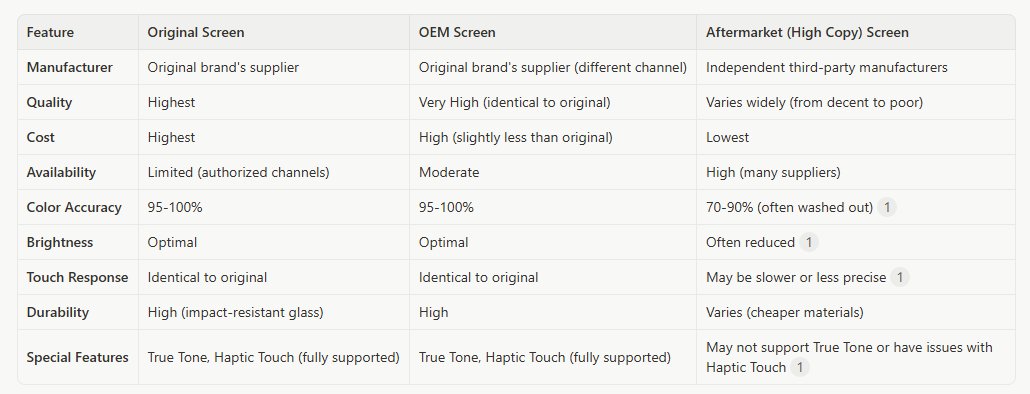
Comparison Table: Original vs. OEM vs. Aftermarket Screens
To summarize the key differences, here's a comparison table:
Procurement Guide for Wholesalers
For wholesalers like Ari-elk, making the right procurement choices involves balancing quality, cost, and customer demand. Here's how to navigate the market:
1. Understand Your Customer Base
•Premium Repair Shops: These shops prioritize quality and are willing to pay more for original or high-quality OEM screens to offer superior repairs and warranties. They cater to customers who demand the best for their devices.
•Budget-Conscious Repair Shops: These shops focus on affordability and seek cost-effective solutions. Aftermarket screens, particularly higher-grade ones, can be a good fit for them, allowing them to offer competitive pricing.
2. Establish Reliable Supplier Relationships
Partnering with a reputable OEM & ODM cell phone part accessory distributor like Ari-elk is crucial. A reliable supplier will:
•Provide Transparent Quality Information: Clearly differentiate between original, OEM, and aftermarket screens.
•Offer Consistent Quality: Ensure that the screens supplied meet the described quality standards.
•Have Strong Supply Chain Management: Guarantee consistent availability and timely delivery.
•Provide Warranty and Support: Stand behind their products with clear warranty policies.
3. Implement Rigorous Quality Control
Before distributing screens to your clients, implement a thorough quality control process:
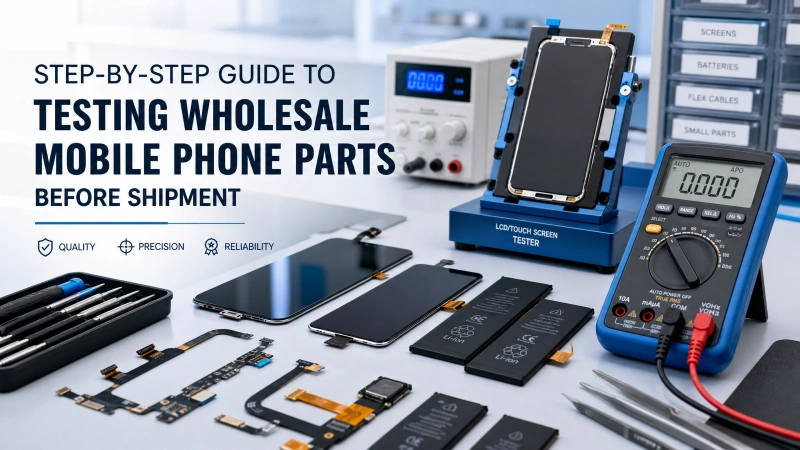
•Visual Inspection: Check for physical defects, scratches, or inconsistencies in the glass and frame.
•Functionality Testing: Test brightness, color reproduction, touch sensitivity, and special features (like True Tone) on a sample device.
•Compatibility Check: Ensure the screens are fully compatible with the intended device models.
4. Educate Your Clients
Help your repair shop clients understand the differences between screen types. Provide them with information on:
•Benefits of Each Screen Type: Explain why an original screen might be worth the extra cost for certain customers, and when an aftermarket screen is a viable option.
•Installation Best Practices: Offer guidance on proper installation to avoid common issues.
•Warranty Information: Clearly communicate the warranty terms for each screen type.
Conclusion
Navigating the mobile phone screen market requires a deep understanding of product variations and a commitment to quality. By carefully distinguishing between original, OEM, and aftermarket screens, and by partnering with trusted suppliers, wholesalers can ensure they provide their clients with the best possible products to meet diverse repair needs. This approach not only builds trust but also contributes to the long-term success of both the wholesaler and the repair businesses they serve.